
How to Use ChatGPT to Grow Your TikTok Audience in 2026

Key Takeaways for AI-Powered Growth
- Use AI for hooks and scripting, not for replacing your personality.
- Leverage data-driven trend analysis to find gaps in your niche.
- Automate your captioning and hashtag research to save hours of manual work.
- Create a repeatable content loop using structured prompts.
Turning Ideas into Viral Scripts
The first three seconds of your video determine whether someone stays or swipes. This is the "hook." Most people write hooks that are too generic, like "Here are five tips for..." which usually gets ignored. You need something that creates a curiosity gap or challenges a common belief.
Instead of asking ChatGPT to "write a script," give it a specific persona and a goal. Tell it: "You are a viral TikTok strategist. Write five different hooks for a video about sustainable fashion. One should be controversial, one should be a secret, and one should be a direct call-out to the viewer's problem."
Once you have the hook, move to the body. TikTok thrives on fast pacing. Use the AI to trim the fat. If your script is 200 words, ask it to condense it to 100 words without losing the emotional core. The goal is to keep the viewer in a state of constant momentum. If you're teaching something, use the Problem-Agitate-Solution (PAS) framework: identify a pain point, make it feel urgent, and then provide the fix.
Finding Your Content Pillars with AI
If you post random videos, the TikTok Algorithm won't know who to serve your content to. You need content pillars-three to five core themes that define your brand. If you're a fitness coach, your pillars might be "Quick Home Workouts," "Nutrition Myths," and "Mindset Shifts."
You can use AI to brainstorm these by feeding it your niche and asking for the top ten most common pain points your target audience faces. For example, a freelance graphic designer might discover that "how to price your work" is a massive point of friction for their peers. That becomes a pillar. Now, instead of guessing, you have a roadmap based on actual user intent.
| Task | Manual Method | ChatGPT Method | Time Saved |
|---|---|---|---|
| Idea Generation | Brainstorming/Scrolling | Prompt-based ideation | ~80% |
| Script Writing | Drafting and editing | Iterative refining | ~60% |
| Hashtag Research | Manual search/guessing | Semantic keyword clusters | ~90% |
| Captioning | Writing from scratch | A/B testing variations | ~70% |

Mastering the Art of the Prompt
The biggest mistake people make is using one-sentence prompts. "Give me TikTok ideas" will give you boring, generic results. To get high-level output, you need to provide context, constraints, and a desired format. This is called "Prompt Engineering."
Try this structure: Role + Context + Task + Constraint + Format.
Example: "You are an expert in short-form storytelling (Role). I am launching a new organic skincare line for Gen Z (Context). Create a 7-day content calendar (Task). Avoid using corporate jargon and keep each video under 30 seconds (Constraint). Present this as a table with columns for Hook, Visual Cue, and Call to Action (Format)."
When the AI gives you a result, don't just take the first draft. Push back. Tell it, "The second idea is too safe. Make it more edgy and add a plot twist at the end." This iterative process is how you get content that actually feels human and authentic rather than robotic.
Optimizing for the Algorithm
While AI can't click the "post" button for you, it can optimize every element that the algorithm tracks. SEO (Search Engine Optimization) is now a huge part of TikTok. People use the search bar like Google. If your captions don't contain the right keywords, you're missing out on a massive amount of organic traffic.
Ask ChatGPT to analyze the top-performing videos in your niche and extract the recurring keywords. Then, ask it to integrate those keywords naturally into your captions. Don't just dump a list of tags; write a caption that reads naturally but includes the terms people are actually searching for. This helps the algorithm categorize your video and place it on the For You Page (FYP) of the right users.
Handling the "AI Uncanny Valley"
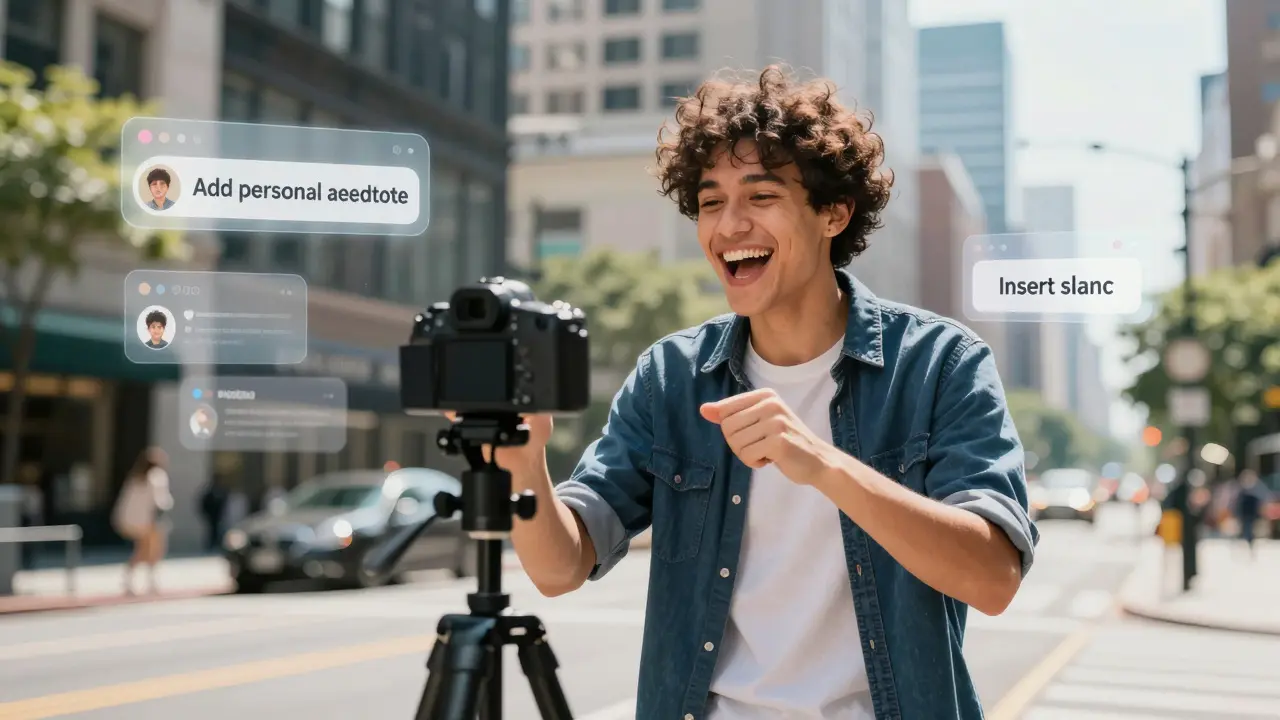
There is a danger in relying too much on AI: you can lose your soul. People follow people, not prompts. If your videos sound like a textbook, people will swipe away. The secret is to use AI for the structure and you provide the soul.
After the AI writes a script, read it out loud. If you wouldn't say those words in a real conversation with a friend, change them. Add your own slang, your own pauses, and your own mistakes. A slightly messy, authentic video often outperforms a polished, AI-perfected one. Use the AI to handle the heavy lifting of research and organization, but keep the final creative voice entirely your own. TikTok growth is about community, and community is built on trust and authenticity.
The Workflow for a Productive Week
To avoid burnout, stop creating day-by-day. Instead, use a batching system powered by AI. Spend one hour on Sunday using ChatGPT to map out your entire week. Start by defining your goal for the week-maybe it's increasing followers or driving traffic to a link in your bio.
- Phase 1: Brainstorming. Generate 20 ideas based on your content pillars.
- Phase 2: Selection. Pick the top 7 ideas that feel the most exciting.
- Phase 3: Scripting. Use the iterative prompting method to write hooks and bodies for those 7 videos.
- Phase 4: Production. Film everything in one block.
- Phase 5: Optimization. Use AI to write the captions and find the keywords for each post.
Will TikTok penalize me for using AI-generated scripts?
No, TikTok does not penalize the use of AI for planning or scripting. The algorithm cares about watch time, completion rate, and engagement. As long as the final video is engaging and provides value to the viewer, it doesn't matter if an AI helped you organize your thoughts. However, always ensure your final content feels authentic to avoid alienating your audience.
Can ChatGPT help me with TikTok hashtags?
Yes, but don't just ask for "popular hashtags." Ask for a mix of broad, niche, and branded tags. For example, a mix of #Fitness (broad), #KettlebellWorkouts (niche), and #YourBrandName (branded). This helps the AI target both a wide audience and a specific community.
How do I make AI scripts sound less like a robot?
The key is to provide the AI with a "voice guide." Tell it to "write in a casual, conversational tone, using short sentences and occasional slang common among Gen Z." After it generates the text, manually edit the script to include your own personal anecdotes or specific local references.
Can I use AI to analyze my TikTok analytics?
Absolutely. You can copy and paste your video performance data (watch time, shares, save rate) into ChatGPT and ask it to identify patterns. For example, ask, "Based on this data, which of my hooks had the highest retention rate and why?" This turns raw numbers into actionable creative strategies.
What is the best way to use AI for TikTok trends?
Since AI may not have real-time access to this morning's trending sounds, use it to "pivot" a trend. Tell the AI what the current trend is and ask it to brainstorm five ways to adapt that trend specifically for your niche. This allows you to join a trend while remaining relevant to your core audience.
Next Steps and Troubleshooting
If you're just starting, don't try to automate everything at once. Start with just the hooks. Once you see your retention rates go up, move to scripting. If you find the AI is giving you repetitive answers, it's usually because your prompt is too vague. Try adding a "negative constraint," such as "Do not use the words 'unlock,' 'discover,' or 'game-changer.'"
For those who have hit a plateau, try a "Content Audit." Feed your last ten captions into the AI and ask it to find the common theme that isn't working. Sometimes we are too close to our own work to see that we're repeating the same mistake. A fresh, AI-driven perspective can help you pivot your strategy before your growth completely stalls.